
Embed Album
Your albums, on your website.
To embed is to show your album right on your own website, so visitors see your photos without leaving your page. It takes one line from your album: copy it, paste it, and you’re done.

Your site, your way.

One line, whole album.
Paste a single line of code and the whole album appears on your page.
Embed Album
Just the photos you pick.
Check a few photos and get HTML, board tags, Markdown, or plain URLs for exactly those.
Image Embeds
Code for one photo.
Image Properties has links and ready-made code for every size, up to the Original.
Image Properties
Privacy comes along.
The album’s privacy still applies to the embed.
PrivacyCopy, paste, done.
No coding needed. Your album gives you the line, and you paste it where you want the album to show.
Copy one line.
Open your album and click Embed Album. Your line is ready to copy.
Paste it into your page.
Put it on your web page, right where you want the album to show.
Your album appears.
Visitors see your photos right on your site, without leaving your page.
All the options.
Every setting, with step-by-step how-tos.
Embed AlbumOne line of code for a whole album.
- Open the album and click Embed Album in the Album Bar.
- Under Copy and paste HTML, click Highlight HTML and copy it.
- Paste it into your web page’s HTML where you want the album to appear.
Each album has its own line, so the right photos always show up.
Image EmbedsCode for just the photos you pick.
- In the album, check one or more photos.
- Click Image Embeds in the Image Bar.
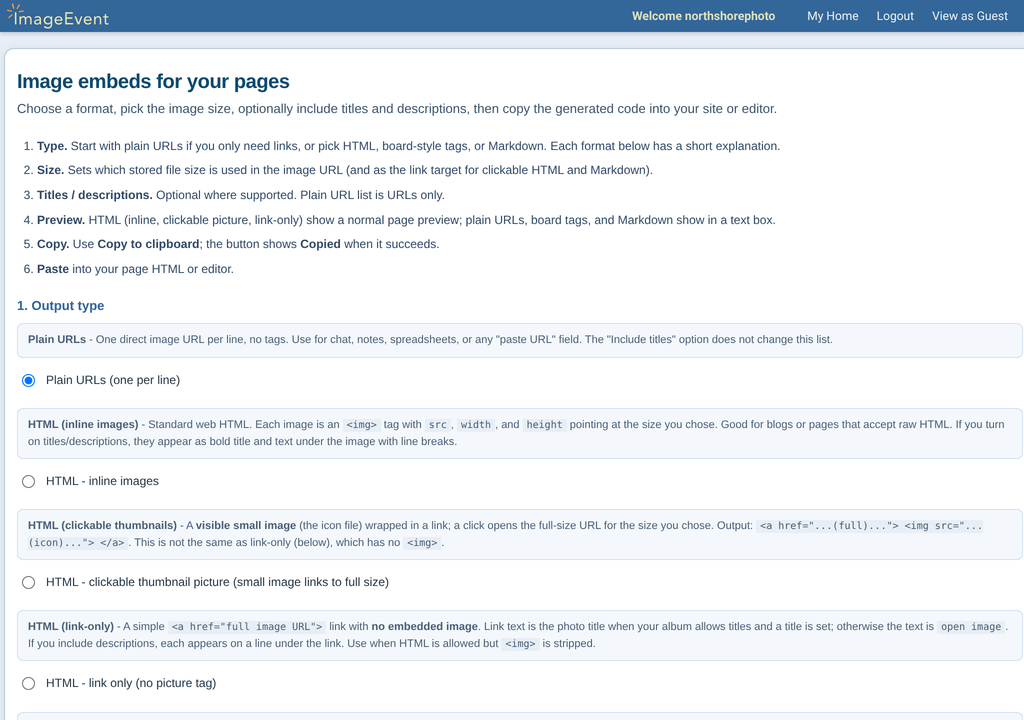
- Pick an Output type and an Image size, and choose whether to include titles and descriptions.
- Check the Preview, click Copy to clipboard, and paste it where you need it.
Output types
- Plain URLs, one per line
- HTML: inline images, a clickable thumbnail, or a link only
- Board / IMG tags: [IMG]…[/IMG] or a clickable thumbnail
- Markdown: a standard image or a clickable image
Sizes: Small (320×240), Medium (640×480), Large (800×600), X-Large (1024×768), XX-Large (1280×960), or Original.
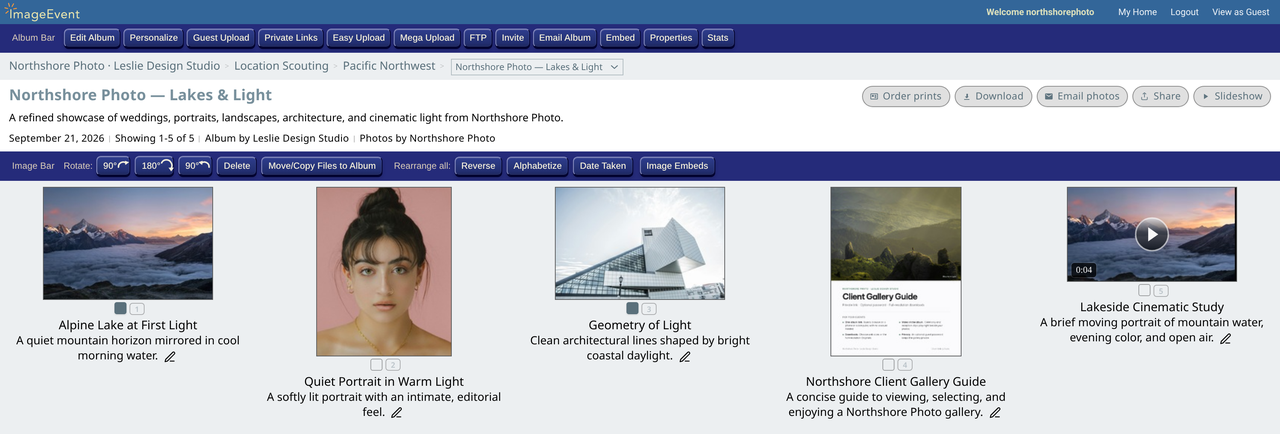
Code for one photoImage Properties has links and code for every size.
Open Image Properties from any photo. You’ll find:
- Direct links for every size, from Thumbnail to Original, with Copy URL, Copy, Download, and Open.
- URL in HTML, with titles and descriptions and left, right, or center alignment.
- Image in Album and HTML Clickable Image to Album.
- IMG Code Images For Message Boards and IMG Code Clickable Image to Album.
PrivacyThe album’s privacy still applies.
An embed shows your album, so the album’s own privacy still decides who can see it. Match it to the people who will visit the page.
Linking insteadSend people to the album itself.
If you’d rather send people to the album than show it on your page, use Share for a link, or a Private Link for a link and a QR code.