
Client delivery
Hand it off beautifully.
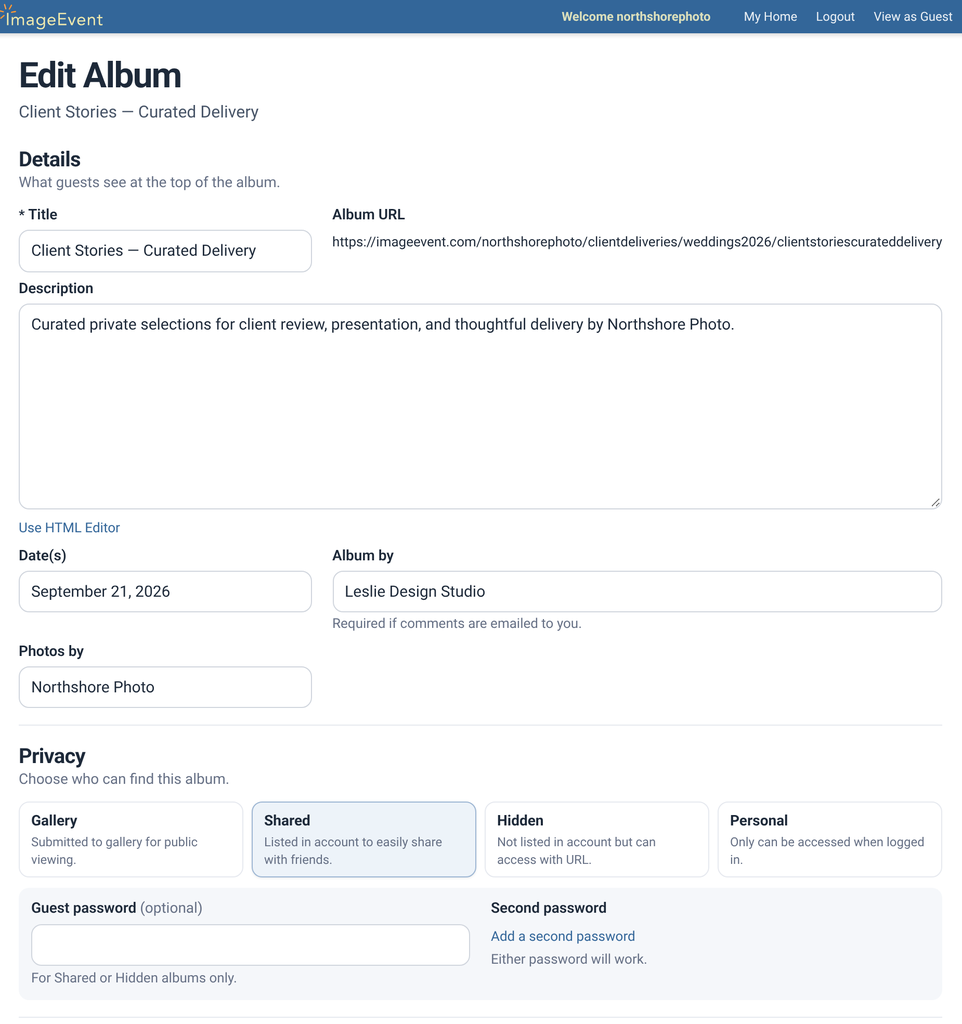
Put the photos, films, and a welcome guide in one private album. See it the way your client will, then send one link.

Made for the handoff.

Private from the start.
Keep the album Hidden or Shared, with a guest password just for them.
Set up the album
See what they’ll see.
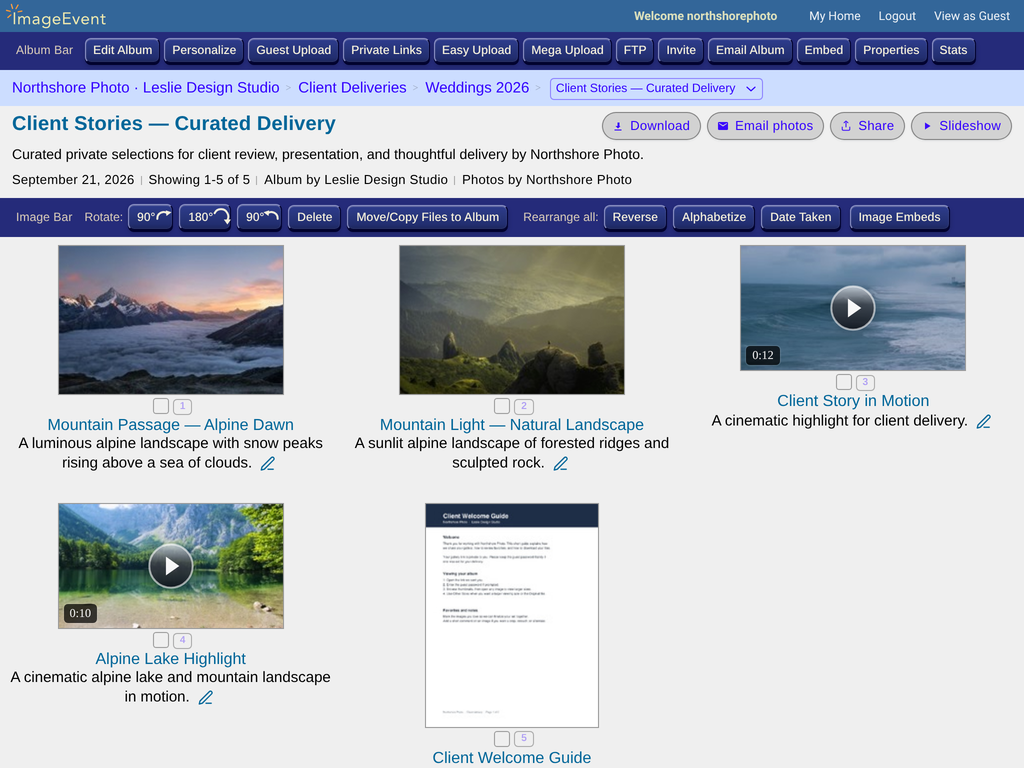
View as Guest shows the album without your editing tools.
Your client’s view
One link or a QR code.
Send the link, show a QR code, or email the album.
Ways to send it
Full-size files, if you like.
Let clients download the sizes you choose, up to the Original.
DownloadsEverything in one private album.
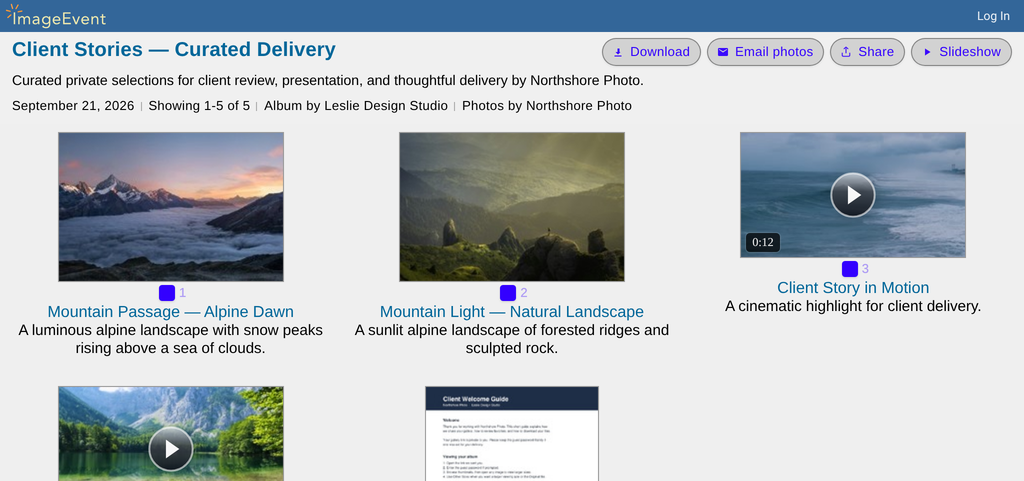
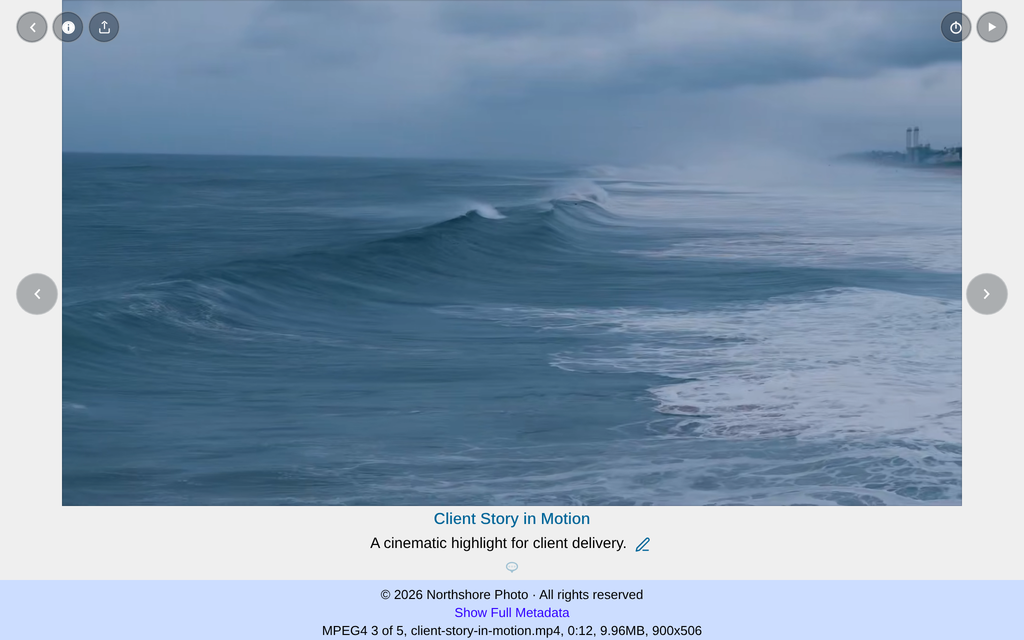
A real delivery: two photos, two short films, and a welcome guide.

 PDF
PDF
The five items in Client Stories — Curated Delivery, under Client Deliveries › Weddings 2026. Press play on either film.
How it works.
Create an album
Make one for this client, inside a client folder if you like.
Upload
Add the photos, any films, and a PDF guide.
Set privacy
Choose Hidden or Shared and add a guest password.
Check, then send
Use View as Guest, then share the link or a QR code.
All the options.
Every setting, with step-by-step how-tos.
Set up the client albumPrivacy, a guest password, and what guests can do.
- Create an album, perhaps inside a folder like Client Deliveries.
- Click Edit Album.
- Under Privacy & passwords, choose Hidden or Shared and add a Guest Password.
- Set the extras you want, then click Update Album.
- Guestbook / email: Guestbook, Email, or None.
- Photo comments and Guests edit titles/descriptions.
- Right click disable helps limit saving.
- Save these as defaults for the next album, ready for your next client.
What your client seesA clean album with simple controls.
Click View as Guest to see it your client’s way. They get:
- Email photos, Share, and Slideshow on the album.
- Checkboxes and Select all to pick photos.
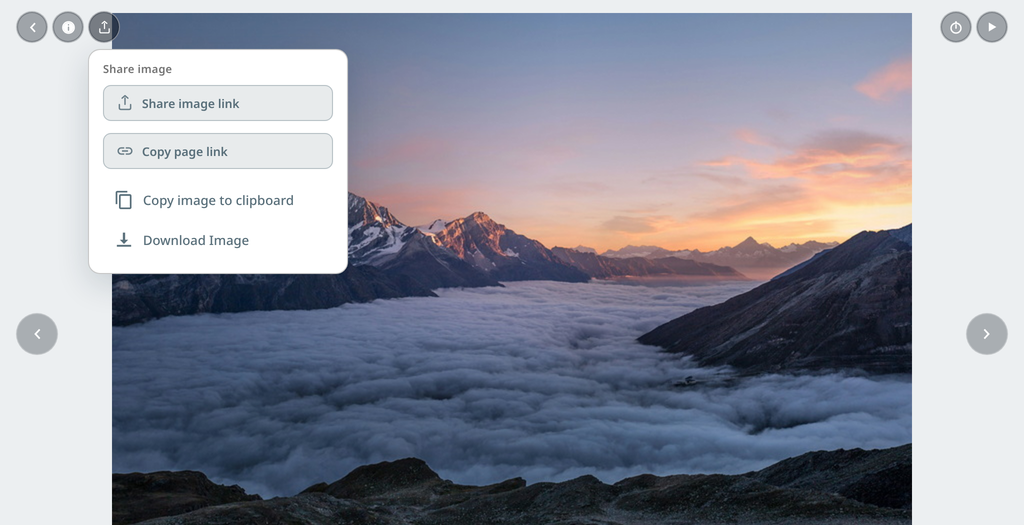
- On each photo: Image Properties, Share image, Play slideshow, Previous and Next, and Add a comment.
Your Album Bar and editing tools stay out of their way.
Send it to your clientA link, a QR code, or an email.
- Share gives you the album link and, for you, a Private link. For a QR code, use Download QR on Private Links.
- Email Album sends an HTML message with thumbnails. Preview it before you send.
- Invite Friends sends an invitation to the live album, with addresses in BCC.
- Both email forms have a Link in the email choice: your album URL, or a Private Link you can turn off later.
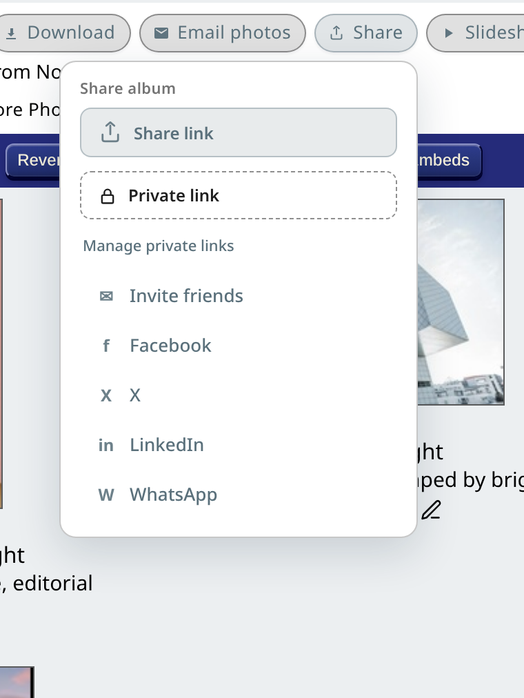
A Private Link for each clientOne link per client or group, with its own password, that you can turn off.
A Private Link is an unlisted web address that is very hard to guess. Give each client, or each group, a separate link, so you can see how each one is used and turn one off without affecting the others. Photos for these links are served from a private host that search engines do not index.
- Open the client album and click Private Links in the Album Bar.
- Type a Label that only you see, such as the client’s name. Add a Password if you like, choose whether Downloads are on, and set an optional expiry if you like.
- Click the create button, then Share link, Copy link, or Download QR to send it.
- When the job is done, click Turn off — or let the expiry date pass — and that link stops working.
- Clients open the link in a browser, enter the password if there is one, and see the album. They don’t need an account. The link opens only that album, not your other clients’ albums, and it doesn’t show your username.
- Passworded links use short-lived signed photo URLs after the password is accepted.
- Each link shows how many times it was opened, so you can see whether a client has looked.
- For a client with several albums, put a Private Link on their folder. Visitors see a list of the albums inside and open the ones they want. Private Links for a folder
All the details are on Privacy & sharing.
Collect photos from your client and teamGuest Uploads: one Upload link, and you approve what goes in.
Clients, guests, and teammates can add their own photos and videos to the album with an Upload link or a QR code. They don’t need an account or an app.
- Open the album and click Guest Upload in the Album Bar.
- Under Settings, pick Approve first or Show right away (you must choose — nothing is preselected the first time), then save.
- Copy the Upload link, or download the QR code to print.
- Send it to your client or team. They choose photos and videos from any phone, tablet, or computer.
- If you chose Approve first, click Approve in the Album Bar, review what came in, and approve or reject it.
- You can ask for a name, so each photo shows who it is from.
- Guest Uploads works with the Enhanced layout.
Full steps, the welcome message, and the TV slideshow are on Upload & video.
Downloads and full-size filesLet clients save the sizes you offer.
Set Guest downloads to Allow in Global Settings so guests can pick sizes to download. To save many at once, see Download a few, or all. On each photo, Share image also offers Download Image.
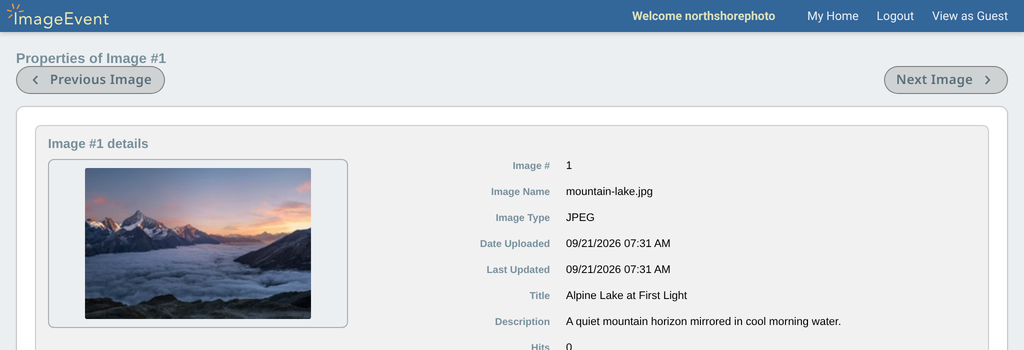
Image Properties lists each size with Copy URL, Copy, Download, and Open. One client photo shows Thumbnail 226×150, Large 800×533, and Original 4000×2667.
Download a few, or allTick photos, pick a size, get one ZIP.
- Tick the photos you want, or tick Select all at the bottom of the album.
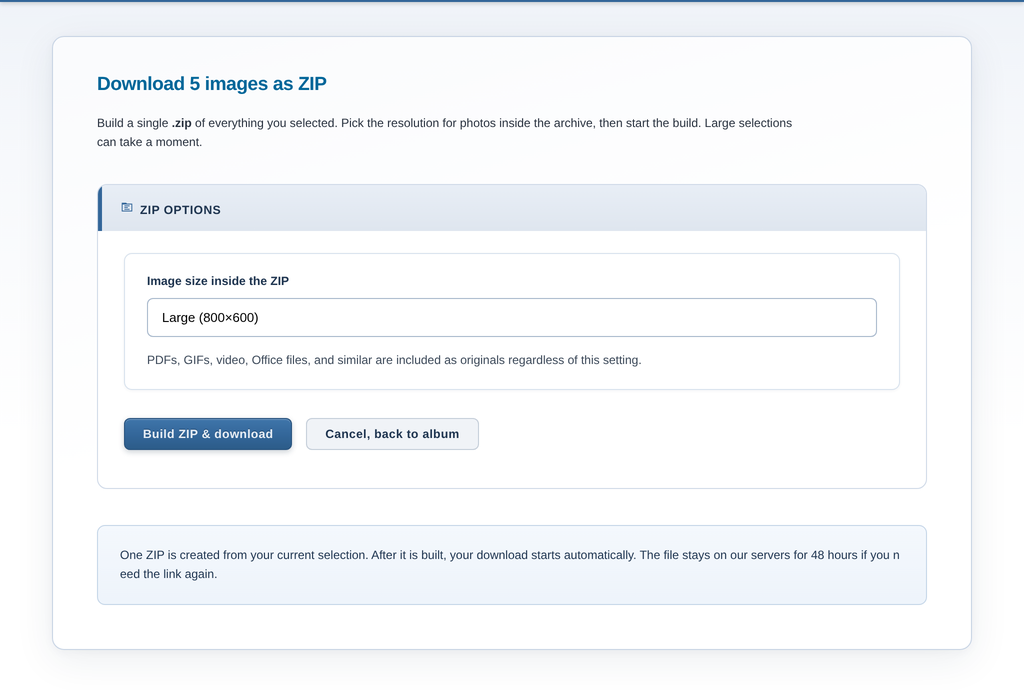
- Click Download at the top right.
- Pick a size, such as Large (800×600) or Original, then click Build ZIP & download.
- One .zip downloads. Original gives each file as you uploaded it, EXIF included.
- Set Guest downloads to Allow in Global Settings. It’s off for albums with Right click disable.
- The sizes follow the album’s Enlarge sizes in Edit Album. Videos and PDFs come as originals.
- The ZIP link works for 48 hours. Guests who aren’t logged in pass a quick security check first.
Films and a welcome guideVideo and PDFs live in the same album.
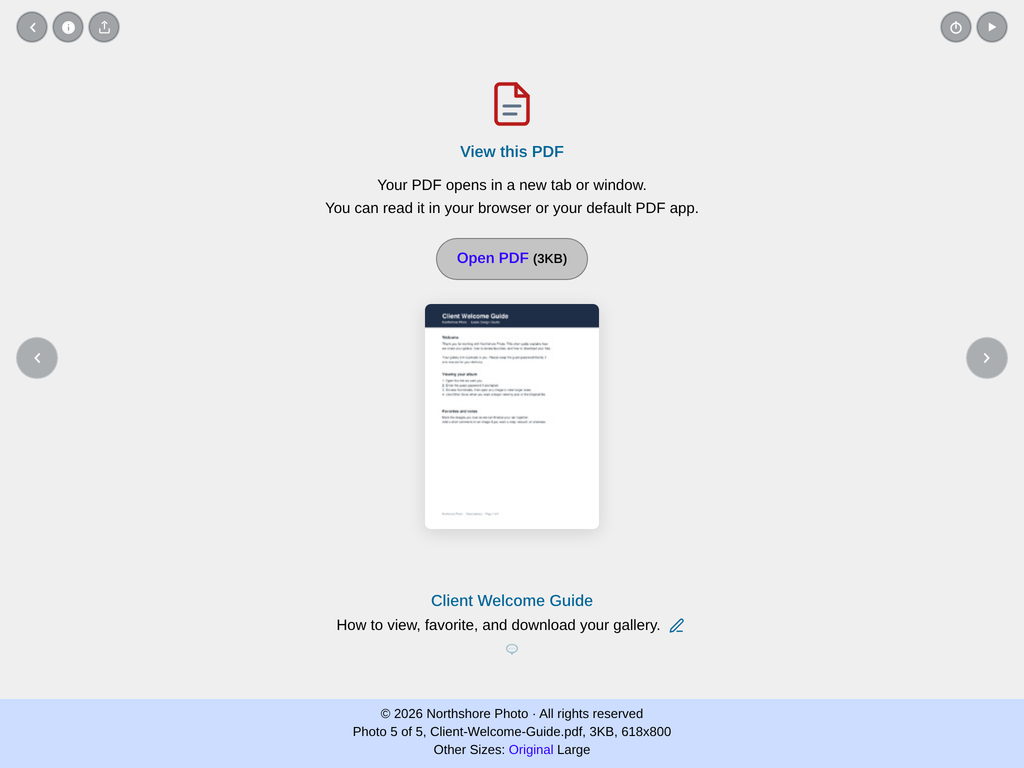
Upload your clips and a PDF guide right along with the photos. Videos play in the album, and the PDF opens with one click. See file types.
Where to find it: in the album, use Easy Upload, Mega Upload, or FTP in the Album Bar.
A folder for every clientKeep deliveries tidy as you grow.
Group client albums in folders, like Client Deliveries › Weddings 2026. Folders can have their own privacy and guest password. More on organizing.
Where to find it: on your Home page, click Create Folder in the My Home Bar.