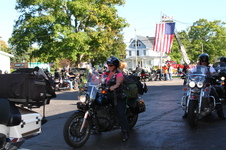
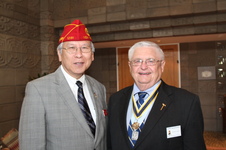
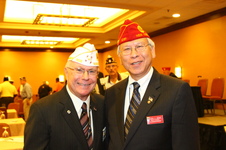
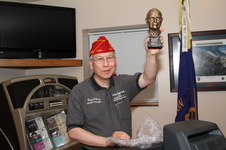
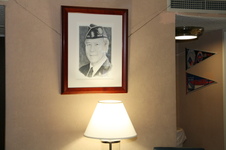
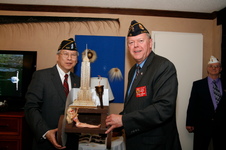
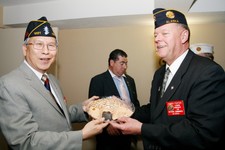
Fang A. Wong Years PAST NATIONAL COMMANDER (2011-2012) of the AMERICAN LEGION VISITS
The directions for downloading images are as follows: 1 Click on the thumbnail image you want to download 2 Under the enlarged photo chose "Original" 3 Right click on the full image after it loads in… then choose 'Save Image/Picture to your computer Date(s): 2009 to 2012. 1 - 131 of 131 Total. Shared
The directions for downloading images are as follows: 1 Click on the thumbnail image you want to download 2 Under the enlarged photo chose "Original" 3 Right click on the full image after it loads in… then choose 'Save Image/Picture to your computer OR Use the DOWNLOAD button above photos
The directions for downloading images are as follows: 1 Click on the thumbnail image you want to download 2 Under the enlarged photo chose "Original" 3 Right click on the full image after it loads in… then choose 'Save Image/Picture to your computer
The directions for downloading images are as follows: 1 Click on the thumbnail image you want to download 2 Under the enlarged photo chose "Original" 3 Right click on the full image after it loads in… then choose 'Save Image/Picture to your computer
The directions for downloading images are as follows: 1 Click on the thumbnail image you want to download 2 Under the enlarged photo chose "Original" 3 Right click on the full image after it loads in… then choose 'Save Image/Picture to your computer
The directions for downloading images are as follows: 1 Click on the thumbnail image you want to download 2 Under the enlarged photo chose "Original" 3 Right click on the full image after it loads in… then choose 'Save Image/Picture to your computer
The directions for downloading images are as follows: 1 Click on the thumbnail image you want to download 2 Under the enlarged photo chose "Original" 3 Right click on the full image after it loads in… then choose 'Save Image/Picture to your computer
The directions for downloading images are as follows: 1 Click on the thumbnail image you want to download 2 Under the enlarged photo chose "Original" 3 Right click on the full image after it loads in… then choose 'Save Image/Picture to your computer
The directions for downloading images are as follows: 1 Click on the thumbnail image you want to download 2 Under the enlarged photo chose "Original" 3 Right click on the full image after it loads in… then choose 'Save Image/Picture to your computer
The directions for downloading images are as follows: 1 Click on the thumbnail image you want to download 2 Under the enlarged photo chose "Original" 3 Right click on the full image after it loads in… then choose 'Save Image/Picture to your computer
The directions for downloading images are as follows: 1 Click on the thumbnail image you want to download 2 Under the enlarged photo chose "Original" 3 Right click on the full image after it loads in… then choose 'Save Image/Picture to your computer
The directions for downloading images are as follows: 1 Click on the thumbnail image you want to download 2 Under the enlarged photo chose "Original" 3 Right click on the full image after it loads in… then choose 'Save Image/Picture to your computer
The directions for downloading images are as follows: 1 Click on the thumbnail image you want to download 2 Under the enlarged photo chose "Original" 3 Right click on the full image after it loads in… then choose 'Save Image/Picture to your computer
The directions for downloading images are as follows: 1 Click on the thumbnail image you want to download 2 Under the enlarged photo chose "Original" 3 Right click on the full image after it loads in… then choose 'Save Image/Picture to your computer Date(s): 2009 to 2012. 1 - 108 of 108 Total. Shared
The directions for downloading images are as follows: 1 Click on the thumbnail image you want to download 2 Under the enlarged photo chose "Original" 3 Right click on the full image after it loads in… then choose 'Save Image/Picture to your computer
The directions for downloading images are as follows: 1 Click on the thumbnail image you want to download 2 Under the enlarged photo chose "Original" 3 Right click on the full image after it loads in… then choose 'Save Image/Picture to your computer
The directions for downloading images are as follows: 1 Click on the thumbnail image you want to download 2 Under the enlarged photo chose "Original" 3 Right click on the full image after it loads in… then choose 'Save Image/Picture to your computer
The directions for downloading images are as follows: 1 Click on the thumbnail image you want to download 2 Under the enlarged photo chose "Original" 3 Right click on the full image after it loads in… then choose 'Save Image/Picture to your computer
The directions for downloading images are as follows: 1 Click on the thumbnail image you want to download 2 Under the enlarged photo chose "Original" 3 Right click on the full image after it loads in… then choose 'Save Image/Picture to your computer
The directions for downloading images are as follows: 1 Click on the thumbnail image you want to download 2 Under the enlarged photo chose "Original" 3 Right click on the full image after it loads in… then choose 'Save Image/Picture to your computer
The directions for downloading images are as follows: 1 Click on the thumbnail image you want to download 2 Under the enlarged photo chose "Original" 3 Right click on the full image after it loads in… then choose 'Save Image/Picture to your computer
The directions for downloading images are as follows: 1 Click on the thumbnail image you want to download 2 Under the enlarged photo chose "Original" 3 Right click on the full image after it loads in… then choose 'Save Image/Picture to your computer
The directions for downloading images are as follows: 1 Click on the thumbnail image you want to download 2 Under the enlarged photo chose "Original" 3 Right click on the full image after it loads in… then choose 'Save Image/Picture to your computer
The directions for downloading images are as follows: 1 Click on the thumbnail image you want to download 2 Under the enlarged photo chose "Original" 3 Right click on the full image after it loads in… then choose 'Save Image/Picture to your computer
The directions for downloading images are as follows: 1 Click on the thumbnail image you want to download 2 Under the enlarged photo chose "Original" 3 Right click on the full image after it loads in… then choose 'Save Image/Picture to your computer
Minnesota Tour 12 Post 897 in Attendance 13 Newspapers 4 Radio 2 TV Stations
The directions for downloading images are as follows: 1 Click on the thumbnail image you want to download 2 Under the enlarged photo chose "Original" 3 Right click on the full image after it loads in… then choose 'Save Image/Picture to your computer
The directions for downloading images are as follows: 1 Click on the thumbnail image you want to download 2 Under the enlarged photo chose "Original" 3 Right click on the full image after it loads in… then choose 'Save Image/Picture to your computer
The directions for downloading images are as follows: 1 Click on the thumbnail image you want to download 2 Under the enlarged photo chose "Original" 3 Right click on the full image after it loads in… then choose 'Save Image/Picture to your computer
The directions for downloading images are as follows: 1 Click on the thumbnail image you want to download 2 Under the enlarged photo chose "Original" 3 Right click on the full image after it loads in… then choose 'Save Image/Picture to your computer
The directions for downloading images are as follows: 1 Click on the thumbnail image you want to download 2 Under the enlarged photo chose "Original" 3 Right click on the full image after it loads in… then choose 'Save Image/Picture to your computer
The directions for downloading images are as follows: 1 Click on the thumbnail image you want to download 2 Under the enlarged photo chose "Original" 3 Right click on the full image after it loads in… then choose 'Save Image/Picture to your computer
The directions for downloading images are as follows: 1 Click on the thumbnail image you want to download 2 Under the enlarged photo chose "Original" 3 Right click on the full image after it loads in… then choose 'Save Image/Picture to your computer
The directions for downloading images are as follows: 1 Click on the thumbnail image you want to download 2 Under the enlarged photo chose "Original" 3 Right click on the full image after it loads in… then choose 'Save Image/Picture to your computer
The directions for downloading images are as follows: 1 Click on the thumbnail image you want to download 2 Under the enlarged photo chose "Original" 3 Right click on the full image after it loads in… then choose 'Save Image/Picture to your computer
The directions for downloading images are as follows: 1 Click on the thumbnail image you want to download 2 Under the enlarged photo chose "Original" 3 Right click on the full image after it loads in… then choose 'Save Image/Picture to your computer
Somerville NJ 90th Anniversary Exceeding membership goals for 60 years
The directions for downloading images are as follows: 1 Click on the thumbnail image you want to download 2 Under the enlarged photo chose "Original" 3 Right click on the full image after it loads in… then choose 'Save Image/Picture to your computer
The directions for downloading images are as follows: 1 Click on the thumbnail image you want to download 2 Under the enlarged photo chose "Original" 3 Right click on the full image after it loads in… then choose 'Save Image/Picture to your computer
The directions for downloading images are as follows: 1 Click on the thumbnail image you want to download 2 Under the enlarged photo chose "Original" 3 Right click on the full image after it loads in… then choose 'Save Image/Picture to your computer
The directions for downloading images are as follows: 1 Click on the thumbnail image you want to download 2 Under the enlarged photo chose "Original" 3 Right click on the full image after it loads in… then choose 'Save Image/Picture to your computer
The directions for downloading images are as follows: 1 Click on the thumbnail image you want to download 2 Under the enlarged photo chose "Original" 3 Right click on the full image after it loads in… then choose 'Save Image/Picture to your computer