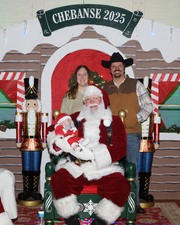
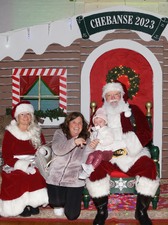
 | 1.Santa Visits Chebanse Portraits - 2025How to download photos from any of my albums: Browse the photos until you find one you want. Click on that photo and it will open to a larger photo. In the blue-shaded box beneath the larger photo you will see the words “Other sizes”. Choose ORIGINAL size & click on it. It may take a few seconds to load depending on your internet. You will now see a very large photo, probably bigger than your screen. There are slide bars to move around the photo.You can choose smaller sizes, but first let’s save this ORIGINAL size. So, right click anywhere on that ORIGINAL size photo. You should see some computer choices to make. One of them should say something like “Save Picture As…..”. Click on that choice. It will then allow you to save this hi-resolution photo to wherever you save such things on your computer. This will be a relatively large file of 3-5000+ kb size. Do not save the smaller sizes for print because they’ll have less resolution, better known as “clarity”. You can copy this file to a flash drive, or burn to a cd, or email (assuming your email allows large size files) and take the file to a photo store, or send away to one of the on-line photo printers. If you would like to open & save one of the smaller size photos, that would be fine also, but use the ORIGINAL for reproductions and printing. You may want to crop the photo to get the print area you desire. You can do that on your computer or wherever you have files printed. There is no cost for downloading photos, but you will have to pay someone to have prints made wherever. Event photos will remain permanently in the photo album. You can link any one photo or the entire album & send it to family members, friends, or acquaintances. If you have any questions, feel free to email me at: ronlukow@comcast.net | |
|
 |
|
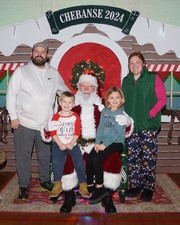 | 3.Santa Visits Chebanse Portraits - 2024How to download photos from any of my albums: Browse the photos until you find one you want. Click on that photo and it will open to a larger photo. In the blue-shaded box beneath the larger photo you will see the words “Other sizes”. Choose ORIGINAL size & click on it. It may take a few seconds to load depending on your internet. You will now see a very large photo, probably bigger than your screen. There are slide bars to move around the photo.You can choose smaller sizes, but first let’s save this ORIGINAL size. So, right click anywhere on that ORIGINAL size photo. You should see some computer choices to make. One of them should say something like “Save Picture As…..”. Click on that choice. It will then allow you to save this hi-resolution photo to wherever you save such things on your computer. This will be a relatively large file of 3-5000+ kb size. Do not save the smaller sizes for print because they’ll have less resolution, better known as “clarity”. You can copy this file to a flash drive, or burn to a cd, or email (assuming your email allows large size files) and take the file to a photo store, or send away to one of the on-line photo printers. If you would like to open & save one of the smaller size photos, that would be fine also, but use the ORIGINAL for reproductions and printing. You may want to crop the photo to get the print area you desire. You can do that on your computer or wherever you have files printed. There is no cost for downloading photos, but you will have to pay someone to have prints made wherever. Event photos will remain permanently in the photo album. You can link any one photo or the entire album & send it to family members, friends, or acquaintances. If you have any questions, feel free to email me at: ronlukow@comcast.net | |
|
 |
|
 |
|
 |
|
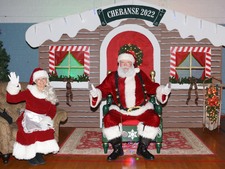 | 7.Santa Visits Chebanse - Portraits 2022How to download photos from any of my albums: Browse the photos until you find one you want. Click on that photo and it will open to a larger photo. In the blue-shaded box beneath the larger photo you will see the words “Other sizes”. Choose ORIGINAL size & click on it. It may take a few seconds to load depending on your internet. You will now see a very large photo, probably bigger than your screen. There are slide bars to move around the photo.You can choose smaller sizes, but first let’s save this ORIGINAL size. So, right click anywhere on that ORIGINAL size photo. You should see some computer choices to make. One of them should say something like “Save Picture As…..”. Click on that choice. It will then allow you to save this hi-resolution photo to wherever you save such things on your computer. This will be a relatively large file of 3-5000+ kb size. Do not save the smaller sizes for print because they’ll have less resolution, better known as “clarity”. You can copy this file to a flash drive, or burn to a cd, or email (assuming your email allows large size files) and take the file to a photo store, or send away to one of the on-line photo printers. If you would like to open & save one of the smaller size photos, that would be fine also, but use the ORIGINAL for reproductions and printing. You may want to crop the photo to get the print area you desire. You can do that on your computer or wherever you have files printed. There is no cost for downloading photos, but you will have to pay someone to have prints made wherever. Event photos will remain permanently in the photo album. You can link any one photo or the entire album & send it to family members, friends, or acquaintances. If you have any questions, feel free to email me at: ronlukow@comcast.net | |
|
 |
|
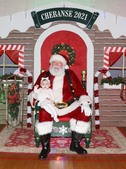 | 9.Santa Visits Chebanse - 2021-PortraitsSanta & Ms Claus visited the Chebanse Civic Center & greeted hundreds of kids & family. Their day in Chebanse was hosted by the Otto Twp Fire Dept & the Village of Chebanse.
Event photos will remain permanently in the photo album. You can link any one photo or the entire album & send it to family members, friends, or acquaintances. If you have any questions, feel free to email me at: ronlukow@comcast.net | |
|
 |
|
 |
|
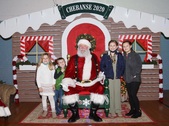 | 12.Santa Visits Chebanse - 2020Event photos will remain permanently in the photo album. You can link any one photo or the entire album & send it to family members, friends, or acquaintances. If you have any questions, feel free to email me at: ronlukow@comcast.net | |
|
 |
|
 |
|
 |
|
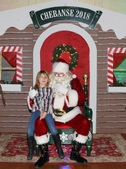 | 16.Santa Visits Chebanse - 2018All Santa posed photos are now in this album. Also more candid 2018 Santa photos here:
https://imageevent.com/lukowphotos/2018chebansesantaclausrandomphotos
How to download photos from any of my albums: Browse the photos until you find one you want. Click on that photo and it will open to a larger photo. In the blue-shaded box beneath the larger photo you will see the words “Other sizes”. Choose ORIGINAL size & click on it. It may take a few seconds to load depending on your internet. You will now see a very large photo, probably bigger than your screen. There are slide bars to move around the photo.You can choose smaller sizes, but first let’s save this ORIGINAL size. So, right click anywhere on that ORIGINAL size photo. You should see some computer choices to make. One of them should say something like “Save Picture As…..”. Click on that choice. It will then allow you to save this hi-resolution photo to wherever you save such things on your computer. This will be a relatively large file of 3-5000+ kb size. Do not save the smaller sizes for print because they’ll have less resolution, better known as “clarity”. You can copy this file to a flash drive, or burn to a cd, or email (assuming your email allows large size files) and take the file to a photo store, or send away to one of the on-line photo printers. If you would like to open & save one of the smaller size photos, that would be fine also, but use the ORIGINAL for reproductions and printing. You may want to crop the photo to get the print area you desire. You can do that on your computer or wherever you have files printed. There is no cost for downloading photos, but you will have to pay to have prints made wherever. Event photos will remain permanently in the photo album. You can link any one photo or the entire album & send it to family members, friends, or acquaintances. If you have any questions, feel free to email me at: ronlukow@comcast.net | |
|
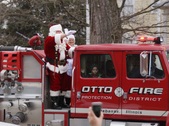 | 17.2018 Chebanse Santa Claus candid photosCandid (not posed) photos from Santa & Ms Claus visit to Chebanse.
All photos are now uploaded. Thanks to the Village of Chebanse & the OTFD for sponsoring such a fine event and thanks to the many volunteers that helped make a great "Santa visit" again this year. | |
|
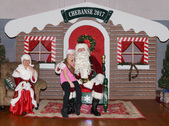 | 18.Santa Visits Chebanse - 2017All photos now uploaded. There are both portrait & landscape mode photos with Santa. Following the Santa photos are a few hundred candid photos.
Event photos will remain permanently in the photo album. You can link any one photo or the entire album & send it to family members, friends, or acquaintances. If you have any questions, feel free to email me at:
ronlukow@comcast.net | |
|
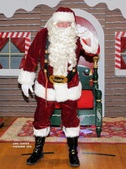 | 19.Santa Visits Chebanse - 2016All photos are now uploaded. Album complete! There are 521 photos, be sure to browse thru them to find yours. Feel free to add your family names in the "descriptions", if you wish.
Thanks – Ron Lukow, Chebanse American Legion Post 408 | |
|
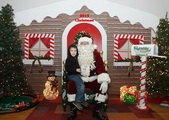 | 20.Santa Visits Chebanse - 2015Santa Claus visits Chebanse with the help of the Village of Chebanse, Otto Twp Fire Dept, and American Legion Post 408. | |
| |
