ASU Lacrosse 2018
All Photos by Debbie Braasch.
To save a photo to your computer in the high resolution size, double click on the photo you want, it will open in a larger size in a new window. In the new window, at the bottom of the photo, click on "original" and it will again open in a new window in the high res size. Right click and "save as" on the high res size photo and you will have it on your computer.
Date(s): February 19, 2018. 1 - 9 of 9 Total. Shared |
|
 | 1.
11-02-18 Alumni Game (November 2, 2018)All Photos by Debbie Braasch.
To save a photo to your computer in the high resolution size, double click on the photo you want, it will open in a larger size in a new window. In the new window, at the bottom of the photo, click on "original" and it will again open in a new window in the high res size. Right click and "save as" on the high res size photo and you will have it on your computer. |
| 392 Visits
249 Items
Shared Album | |
|
 | 2.
03-31-18 GCU (March 31, 2018)All Photos by Debbie Braasch.
To save a photo to your computer in the high resolution size, double click on the photo you want, it will open in a larger size in a new window. In the new window, at the bottom of the photo, click on "original" and it will again open in a new window in the high res size. Right click and "save as" on the high res size photo and you will have it on your computer. |
| 325 Visits
368 Items
Shared Album | |
|
 | 3.
03-25-18 SDSU (March 25, 2018)All Photos by Debbie Braasch.
To save a photo to your computer in the high resolution size, double click on the photo you want, it will open in a larger size in a new window. In the new window, at the bottom of the photo, click on "original" and it will again open in a new window in the high res size. Right click and "save as" on the high res size photo and you will have it on your computer. |
| 296 Visits
411 Items
Shared Album | |
|
 | 4.
03-24-18 Senior Day & Banquet (March 24, 2018)All Photos by Debbie Braasch.
To save a photo to your computer in the high resolution size, double click on the photo you want, it will open in a larger size in a new window. In the new window, at the bottom of the photo, click on "original" and it will again open in a new window in the high res size. Right click and "save as" on the high res size photo and you will have it on your computer. |
| 228 Visits
75 Items
Shared Album | |
|
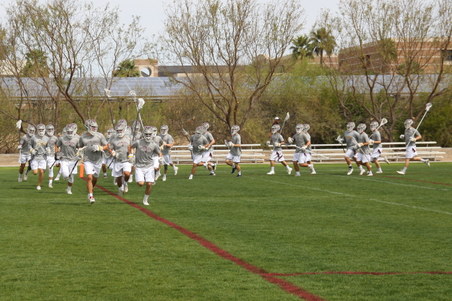 | 5.
03-24-18 UNLV (March 24, 2018)All Photos by Debbie Braasch.
To save a photo to your computer in the high resolution size, double click on the photo you want, it will open in a larger size in a new window. In the new window, at the bottom of the photo, click on "original" and it will again open in a new window in the high res size. Right click and "save as" on the high res size photo and you will have it on your computer. |
| 318 Visits
514 Items
Shared Album | |
|
 | 6.
03-10-18 Virginia (March 10, 2018)| Screen shots from the streamed game in Virginia |
| 352 Visits
55 Items
Shared Album | |
|
 | 7.
02-25-18 Cal Poly (February 25, 2018)All Photos by Debbie Braasch.
To save a photo to your computer in the high resolution size, double click on the photo you want, it will open in a larger size in a new window. In the new window, at the bottom of the photo, click on "original" and it will again open in a new window in the high res size. Right click and "save as" on the high res size photo and you will have it on your computer. |
| 269 Visits
214 Items
Shared Album | |
|
 | 8.
02-23-18 UCSB (February 23, 2018)All Photos by Debbie Braasch.
To save a photo to your computer in the high resolution size, double click on the photo you want, it will open in a larger size in a new window. In the new window, at the bottom of the photo, click on "original" and it will again open in a new window in the high res size. Right click and "save as" on the high res size photo and you will have it on your computer. |
| 248 Visits
208 Items
Shared Album | |
|
 | 9.
02-18-18 Oregon (February 18, 2018)All Photos by Debbie Braasch.
To save a photo to your computer in the high resolution size, double click on the photo you want, it will open in a larger size in a new window. In the new window, at the bottom of the photo, click on "original" and it will again open in a new window in the high res size. Right click and "save as" on the high res size photo and you will have it on your computer. |
| 151 Visits
184 Items
Shared Album | |
| |
