|
|
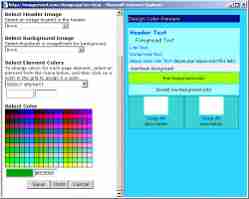
Personalize your album by choosing the colors or pick an existing theme. Select a header image in the description.
Manipulate images by rotating, copying and moving to other albums, and rearranging them. |
| Go through each of your photos and add your photo titles and descriptions, or have other family and friends add the descriptions.
Select the default size to open your images in. Select number of columns, and the number of items per page.
You can also personalize your Home page thats lists your albums-- Add external links, personal greeting, and how your name is displayed. |  |
|

